
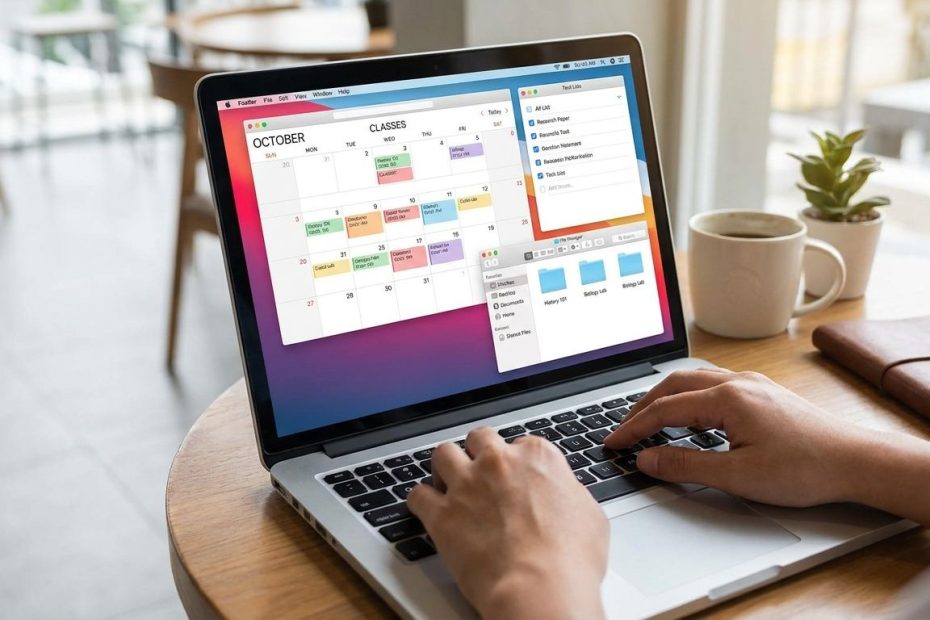
Digital organization helps you manage classes, assignments, notes, files, and reminders in one reliable system so your busy schedule doesn’t depend on memory alone. The best setup is simple: one calendar, one task list, one file structure, and one weekly reset.
When your schoolwork lives across emails, learning portals, screenshots, downloads, group chats, and notebooks, it’s easy to lose track of what matters. This guide gives you practical digital organization tips you can use without rebuilding your whole routine. You’ll learn how to reduce digital clutter, plan your week, manage deadlines, and keep school materials easy to find.
What Is Digital Organization For Students?
Digital organization is the way you arrange your school information across devices, apps, folders, calendars, and reminders. It helps you find what you need quickly and keep your schedule visible.
A strong digital organization system doesn’t need to be fancy. You need a place for dates, a place for tasks, a place for notes, and a place for files. If those four areas are clear, your school day becomes easier to manage.
Busy students usually run into trouble when everything has its own hiding spot. A syllabus may sit in your downloads folder, a homework reminder may live in a group message, and lecture notes may be split between three apps. That setup forces you to search instead of study.
Your goal is to reduce scattered information. Choose a few tools and give each one a clear job. When every digital item has a home, you spend less time digging and more time doing the work that actually counts.
How Should You Set Up A Student Calendar?
Set up one main calendar for classes, deadlines, study blocks, meetings, work shifts, and personal commitments. Use color labels so you can scan your week without opening every event.
Your calendar should show where your time goes before the week gets crowded. Add fixed commitments first: classes, labs, work, club meetings, appointments, and commute time. After that, add study blocks around the deadlines that need the most attention.
Use reminders with care. Too many alerts become noise, so reserve them for items that need action: submitting an assignment, joining an online meeting, preparing for a test, or leaving for campus. A reminder should prompt movement, not create more stress.
Color coding works best when it stays simple. Use one color for classes, one for assignments, one for exams, one for work, and one for personal time. If every class gets its own set of shades, your calendar can become harder to read.
How Do You Organize Assignments Without Missing Deadlines?
Keep all assignments in one task manager or planner app, then sort them by due date, course, and priority. Add each task as soon as it appears in your syllabus, learning portal, email, or class announcement.
A task list should tell you what to do, when it’s due, and what the next step is. “History essay” is too vague. “Write outline for history essay” is better because it gives you a clear action.
Break larger assignments into smaller steps. A research paper can become topic selection, source gathering, outline, rough draft, revision, citation check, and final submission. This keeps the project from turning into one stressful deadline at the end.
Use priority labels only when they guide your choices. A task due tomorrow should usually sit above a task due next month, but effort matters too. A short quiz review and a major lab report do not deserve the same planning space just because they appear on the same date.
How Can You Keep Digital Notes Easy To Find?
Organize digital notes by course, then by topic or date. Use consistent titles so you can search them quickly when exams, papers, or class discussions come up.
A useful note title includes the class name, topic, and date when needed. Instead of “Lecture Notes,” use “Biology Cell Structure Notes” or “English Essay Planning Notes.” Search becomes much easier when your titles carry real information.
Keep your note app clean by creating a separate space for each course. Inside each course, use sections for lectures, readings, assignments, and exam review. This gives you a familiar path every time you open the app.
Don’t turn note-taking into formatting work. Use headings, bullet points, short summaries, and bold labels when they help you review. If your notes look neat but don’t help you study faster, simplify them.
How Should Students Organize Digital Files?
Create one main school folder, then divide it by term, course, and assignment type. Use clear file names so your documents make sense without opening them.
A clean folder system saves you from hunting through downloads at the worst possible time. Start with a main folder named for school. Inside it, create folders for each term, then folders for each course.
Inside each course folder, use labels like assignments, readings, lecture slides, projects, and exams. Keep submitted work in the same course folder so you can refer back to it later. This matters when a final project builds on earlier work.
File naming is where many students lose time. Use names that include the course, assignment, and version. A file called “Final Draft” can become confusing fast. A file called “Psychology Research Paper Final” tells you what it is right away.
How Do You Control Digital Clutter On A Busy Schedule?
Control digital clutter by clearing downloads, closing unused tabs, archiving old messages, and deleting duplicate files during a short weekly reset. Small cleanups prevent your devices from becoming another source of stress.
Your downloads folder should not become a permanent storage area. Move useful files into the right class folder, rename them, and delete what you don’t need. If you do this once a week, the cleanup usually stays quick.
Browser tabs need limits too. Save research links in a document, reading list, or bookmark folder instead of keeping every tab open. Open tabs can create mental clutter because every page looks like an unfinished task.
Email and school portal notifications also need sorting. Create folders or labels for each course if your email app allows it. Archive messages after you handle them so your inbox shows what still needs attention.
How Can You Build A Weekly Digital Reset?
A weekly digital reset is a short review where you update your calendar, check your task list, clean files, and prepare for the week ahead. Schedule it at the same time each week so it becomes automatic.
Start by reviewing upcoming deadlines. Open your calendar and task list together, then compare them with your learning portals and course announcements. If something changed, update it right away.
Then check your files and notes. Move loose documents into the correct folders, rename unclear files, and delete duplicates. This is also a good time to back up major assignments so you don’t depend on one device.
End by choosing your top school priorities for the coming week. Pick the assignments that need the most focus, then block realistic work sessions. A weekly reset should leave you with fewer unknowns, not a longer list of vague tasks.
How Do You Choose The Right Digital Organization Tools?
Choose tools that match how you already work, then keep the system small enough to maintain. The best app is the one you’ll actually check every day.
You don’t need separate apps for every school problem. Too many tools can split your attention and make organization harder. A calendar, task manager, notes app, and cloud storage system are usually enough.
Look for tools that sync across your phone, laptop, and tablet if you use more than one device. Your schedule should not disappear because you left one device at home. Syncing also helps when assignments change during the day.
Keep privacy, storage limits, and school access in mind. Some students prefer tools provided by their school because they connect with email, class portals, and shared documents. Others prefer personal tools they can keep after graduation.
How Can Digital Organization Reduce Study Stress?
Digital organization reduces study stress by making deadlines, files, and tasks visible before they become urgent. You can plan your work with less guessing and fewer last-minute searches.
Stress often grows when you don’t know what’s due, where a file is saved, or how much work remains. A clear system gives you answers quickly. That doesn’t make school effortless, but it removes avoidable friction.
Good organization also helps you protect personal time. When you can see your workload, you can choose when to study and when to stop. Without that visibility, school can feel like it follows you all day.
Digital organization tips work best when they support your real schedule. If you work, commute, play sports, care for family, or manage several activities, your system should help you make decisions fast. Keep it visible, searchable, and simple.
Best Digital Organization Tips For Students
- Use one calendar
- Keep one task list
- Organize files by course
- Name documents clearly
- Reset your system weekly
Build A System You Can Maintain On Your Busiest Weeks
The best digital organization system is the one that still works when your schedule gets packed. Keep your calendar current, put every assignment in one task list, name files clearly, and review everything once a week. Don’t chase a perfect setup or load your phone with tools you won’t open. Use digital organization to make schoolwork easier to see, easier to start, and easier to finish..

Brian C Jensen is the CEO of Legacy Global Consulting, Inc., a management consulting firm. With 10+ years of experience, he advises organizations on digital transformation, risk management, and growth strategy—helping clients anticipate market shifts and scale sustainably.